本日はいよいよ最終局面です。

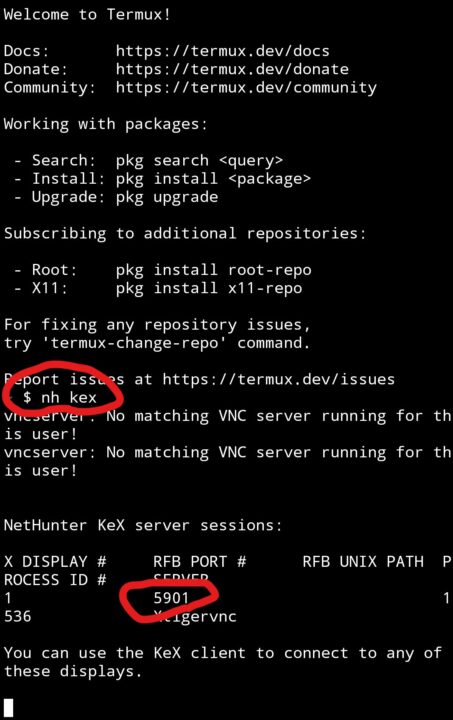
①Androidから「termux」アプリを開き、「nh kex」と入力して

ポート番号を確認

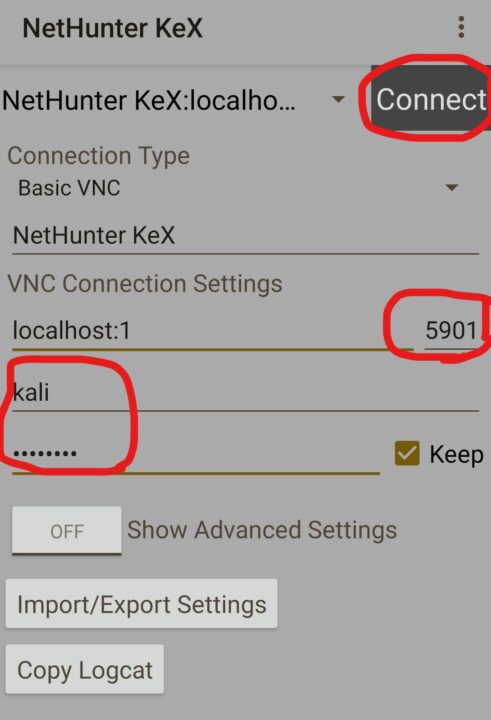
②「Nethunter KeX」アプリを開き、ポートは上で確認した番号を入れて

ユーザー名:kali パスワードは以前、設定したものを入力して「Connect」をタップ

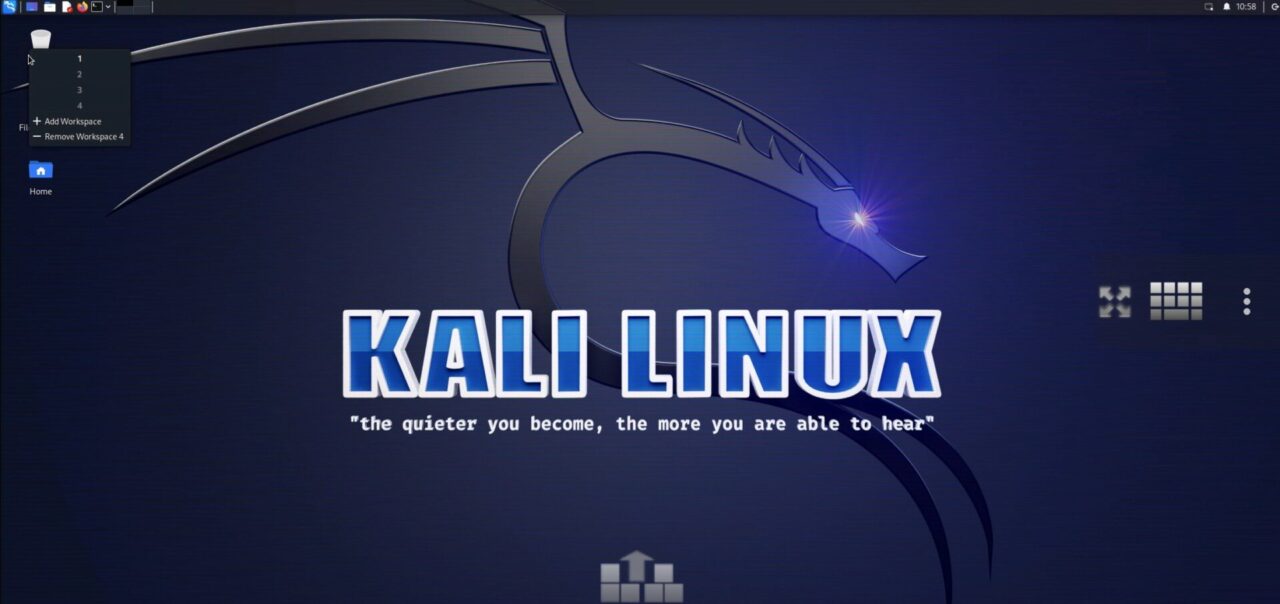
③AndroidでLinuxが開きました!!!お疲れさまでした!!
投稿者

ズラタン

コメントを残す

メールアドレスが公開されることはありません。 が付いている欄は必須項目です


Warning: Trying to access array offset on value of type bool in /home/c1884040/public_html/mentooyou.com/wp-content/plugins/siteguard/really-simple-captcha/siteguard-really-simple-captcha.php on line 353

Warning: Trying to access array offset on value of type bool in /home/c1884040/public_html/mentooyou.com/wp-content/plugins/siteguard/really-simple-captcha/siteguard-really-simple-captcha.php on line 353

Warning: Trying to access array offset on value of type bool in /home/c1884040/public_html/mentooyou.com/wp-content/plugins/siteguard/really-simple-captcha/siteguard-really-simple-captcha.php on line 353

Warning: Trying to access array offset on value of type bool in /home/c1884040/public_html/mentooyou.com/wp-content/plugins/siteguard/really-simple-captcha/siteguard-really-simple-captcha.php on line 353

CAPTCHA


日本語が含まれない投稿は無視されますのでご注意ください。(スパム対策)